
What is Computer Motherboard?-Types, Components & History
 written by Sehrish Basharat
Computer Motherboards are the central processing unit (CPU) of a computer. A motherboard consists of a circuit board containing chipsets, memory modules, processors, connectors, and other components. Motherboards connect all the devices in a computer system together.
The motherboard is the main component of a computer’s internal hardware system. It contains the processor, memory chips, power supply, and other components of the computer.
Motherboard Diagram
The following image shows a diagram of the motherboard:
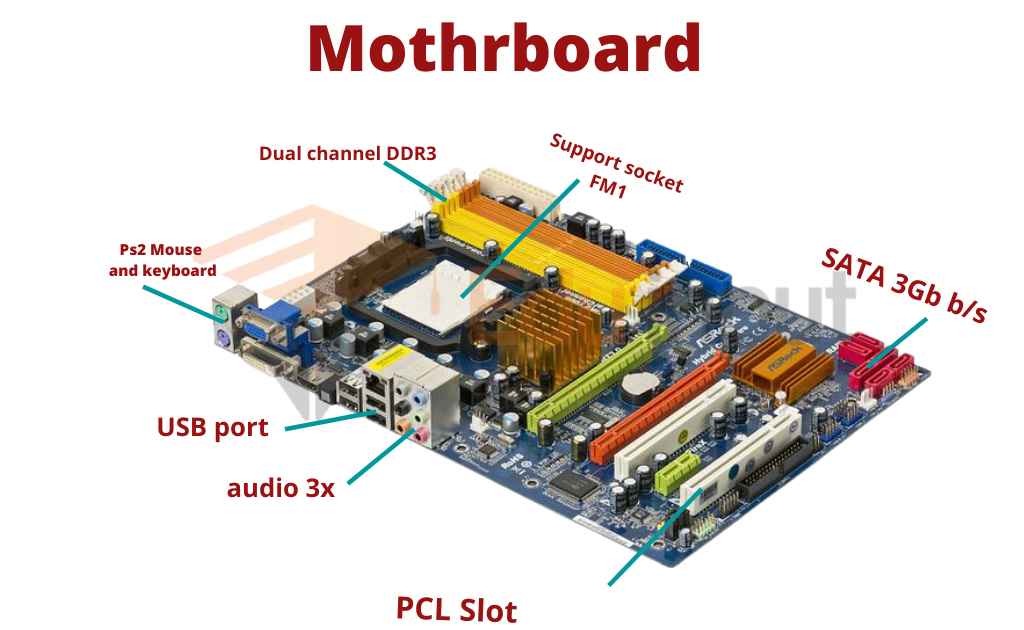
Components of Motherboard
A motherboard has many components. Each component has different work.
1. Chipset
A chipset is a set of integrated circuits designed to provide specific functionality. Most motherboards have at least two chipsets, one for video output and one for sound. Chipsets are often built into the motherboard.
2. BIOS
The Basic Input/Output System (BIOS) is a collection of software instructions that tells the hardware what to do. It resides in Read-Only Memory (ROM), and cannot be changed once installed on the motherboard.
3. Processor
A processor is the brain of the computer. It controls everything else in the machine. Processors are either single-core or multi-core. Single-core processors run only one program at a time, while multi-core processors allow several programs to run simultaneously.
4. Graphics Card
Graphics cards are special chips designed specifically for video games. They are commonly used in PCs, laptops, and consoles.
5. Hard Drive
Hard drives store information on magnetic disks. Information is written to them using small magnets. When reading the information, electromagnetic coils detect these magnets.
6. Memory Module
Memory modules are small circuit boards that hold a certain amount of RAM. Each module contains several DRAM chips.
7. Connector
Connectors are metal pins that allow electrical signals to pass between different parts of a device. There are many types of connectors, including USB, VGA, DVI, HDMI, RJ45, etc.
8. Power Supply Unit
Power supplies convert alternating current electricity into direct current electricity. They regulate voltage, filter noise, and convert AC power to DC power.
9. CPU socket
The CPU is the heart of any computer. A CPU socket is a metal plate that holds the CPU in place. It has pins that fit into holes in the motherboard. This allows the CPU to connect to the rest of the system.
10. Graphics Processing Unit
GPUs are specialized processors that perform graphics-related tasks. GPUs are commonly used in game consoles, personal computers, and workstations.
11. RAM
Random Access Memory (RAM) is a type of computer memory that stores data temporarily while the processor is using it. When the processor needs information stored in RAM, it sends out a signal requesting the information. The RAM then provides the requested information to the processor.
What is a Motherboard Socket and Why Is It Important?
A motherboard socket is a specially designed slot on the board where the Central Processing Unit (CPU) is installed. It acts as the physical and electrical bridge between the processor and the rest of the computer.
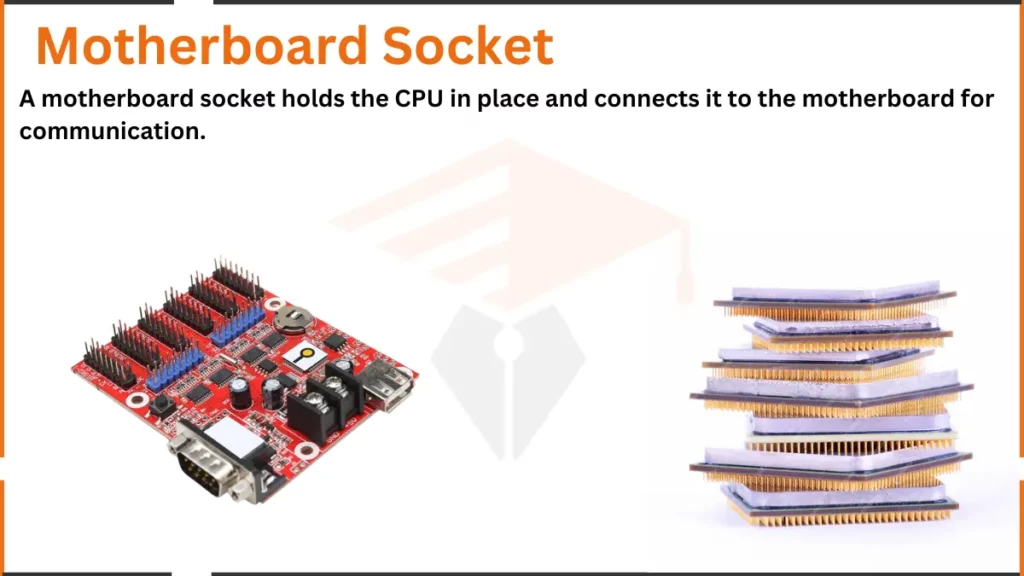
Types of Motherboard Sockets
There are three main types of motherboard socket:
- LGA (Land Grid Array): In LGA sockets, the pins are on the motherboard. The CPU itself has flat gold spots that touch these pins. Intel processors mostly use LGA sockets. They are highly reliable. They make it very easy to install and remove the CPU safely.
- PGA (Pin Grid Array): In PGA sockets, the pins are on the bottom of the CPU. The motherboard socket has tiny holes for these pins to fit into. AMD processors often use PGA sockets. They are great for upgrading. However, you must handle them very carefully. The tiny pins on the CPU can bend easily if you make a mistake.
- BGA (Ball Grid Array): BGA is very different from LGA and PGA. In BGA, the CPU is permanently attached to the motherboard. You cannot remove it or upgrade it later. Laptops and small mobile devices use BGA sockets. They save a lot of physical space, but they remove your ability to upgrade.
What does a motherboard socket do?
The motherboard socket has two main functions. First, it keeps the CPU fixed in its position. Second, it helps the CPU communicate with other hardware, such as RAM, storage, and other components. Without the socket, the CPU cannot work properly.
Each socket is made for specific types of CPUs, so not all CPUs fit into all sockets. You need to match the CPU with the correct socket type.
Types of motherboards
There are different types of motherboards
1. ATX motherboard
The ATX (Advanced Technology eXtended) standard was developed by Intel and Microsoft in 1994. It was designed to provide compatibility between different components and allow for easier upgrades. The first version of the ATX standard was released in 1995.
Since then, many manufacturers have adopted the standard and now use it in their products.
2. MicroATX motherboards
MicroATX is a smaller variant of the ATX standard. It was created to reduce the size of computer cases and make them more portable. Because they were designed to fit in small spaces, microATX motherboards are often less powerful than regular ATX boards.
3. ITX motherboards
ITX stands for integrated technology extension. It is a newer standard that combines the features of both ATX and microATX standards. ITX motherboards are smaller and lighter than regular ATX boards but still offer enough power to run modern computers.
4. AT motherboard
Old models of motherboards include the XT, or extended Technology, motherboards. These consist of processors that fit into slots, as well as DIMM RAM slots, Low Insertion Force (LIF) sockets, and ISA slots with 12-pin power connectors.
| 1981 | IBM personal computer |
| 1984 | IBM Personal Computer AT |
| 1985 | Baby AT motherboard |
| 1987 | LPX motherboard |
| 1997 | LPX motherboard |
| 1998 | WTX motherboard |
| 1999 | Flex ATX motherboard |
| 2000 | ETX motherboard specification |
| 2001 | Mini-ITX form factor |
| 2003 | PCI Express standard |
| 2004 | The mobile-ITX form factor for motherboards |
Uses of Motherboard
Here are the different uses of motherboards in computers:
1. Holds and Connects Components
The motherboard holds the CPU, RAM, and storage devices like hard drives or SSDs. It also has slots for graphics cards, sound cards, and other add-ons. The motherboard connects all these parts so they can communicate with each other.
2. Transfers Data Between Components
The motherboard helps in transferring data between different parts of the computer. For example:
- It allows data to flow between the hard drive and the processor.
- It sends instructions from the CPU to the RAM.
This continuous data transfer makes the computer perform tasks like opening apps or playing videos.
3. Provides Power
The motherboard distributes power to all connected components. It gets the power from the power supply and sends it to the CPU, RAM, and other parts. This ensures that every part has the energy it needs to work properly.
4. Controls Input and Output Devices
The motherboard allows you to connect input and output devices, like:
- Output devices: Monitor, printer, and speakers.
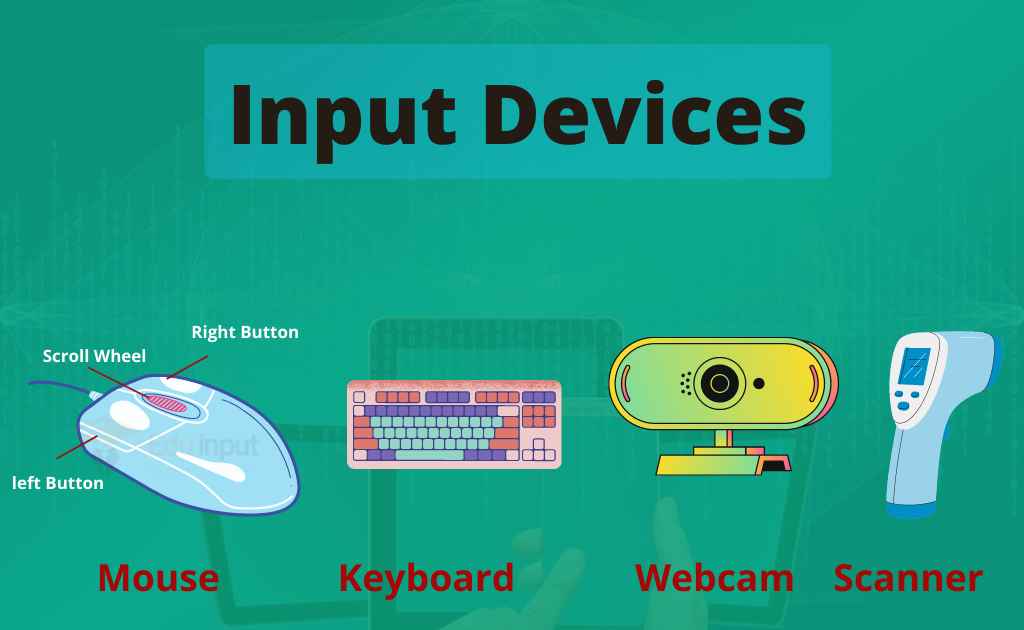
- Input devices: Keyboard, mouse, and scanner.
These devices are connected through ports like USB, HDMI, and audio jacks on the motherboard.
5. Expands System Features
The motherboard has extra slots for expansion. These slots allow you to add:
- An additional hard drive for more storage.
- A better graphics card for gaming or video editing.
- More RAM for faster performance.
These upgrades make the computer more powerful and efficient.
6. Stores Firmware
The motherboard stores the BIOS (Basic Input/Output System) or UEFI firmware. This software helps start the computer. It checks if all hardware is working properly before loading the operating system like Windows or Linux. This process is called booting.
Frequently Asked Questions (FAQs)
What is a motherboard?
The motherboard is the central part of the computer. It is the single platform through which all the devices such as the chipset, memory, CPU, hard drives, optical drives, video card, sound card, and other ports and expansion cards are directly connected.
What are the main components of the motherboard?
· CPU Socket
· Chipset
· Connector
· USB Port
What are the 3 types of motherboards?
· ATX
· Mini – ATX
· Micro – ATX



Leave a Reply